
Best Way to Plan Your Monthly Budget Using a Budget Planner Template
I’ll be honest. For the longest time, the word budget made me uncomfortable.
It sounded restrictive. Like punishment. Like someone taking away my freedom to grab coffee on a random Tuesday or order takeout just because I didn’t feel like cooking. But after one too many months of wondering where my money actually went, I realized something had to change.
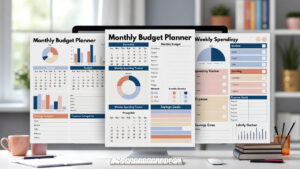
That’s when I discovered the magic of using a monthly budget planner template.
Not a complicated spreadsheet. Not fancy finance software. Just a simple, reusable template that told my money where to go before it disappeared. And wow… game changer.
If you’ve ever felt stressed about money, confused by your expenses, or just tired of living paycheck to paycheck, this guide is for you. Let’s walk through exactly how to plan your monthly budget using a budget planner template, step by step, without the overwhelm.
DOWNLOAD YOUR FREE BUDGET PLANNER SHEET
What Is a Budget Planner Template (And Why It Works)
A budget planner template is basically a roadmap for your money.
Instead of guessing or hoping things work out, the template gives you clear categories to organize:
-
Income
-
Fixed expenses
-
Variable expenses
-
Savings
-
Debt
-
Extras (yes, fun stuff counts)
The reason templates work so well is simple:
They remove decision fatigue.
You don’t have to start from scratch every month. You just plug in numbers, adjust as needed, and move on with your life.
Think of it like meal planning for your finances. Less stress. Fewer bad decisions. Better results.
Step 1: Choose the Right Budget Planner Template
Before you plan anything, you need the right template.
Not all budget planners are created equal. Some are way too detailed. Others are so basic they’re useless.
Here’s what I look for in a good monthly budget planner template:
-
Clear income section
-
Fixed expenses category
-
Variable expenses category
-
Savings section
-
Debt tracker
-
Notes or adjustments area
You can find templates as:
-
Printable PDFs
-
Excel or Google Sheets
-
Digital planners
-
Apps (though I prefer templates for control)
If you’re new to budgeting, start simple. You can always add more detail later.
Step 2: List All Your Monthly Income
This part is usually the easiest. But it’s also where people mess up.
When using your budget planner template, write down all sources of income, including:
-
Salary (after taxes)
-
Side hustles
-
Freelance work
-
Child support
-
Passive income
Important tip:
Only count money you actually receive every month.
If your income changes, use your lowest average month so you don’t accidentally overspend.
I learned this the hard way. Planning with “best case” numbers? Not a great idea.
Step 3: Identify Your Fixed Expenses
Fixed expenses are the bills that don’t change much month to month. These go into their own section in your budget planner template.
Examples include:
-
Rent or mortgage
-
Car payment
-
Insurance
-
Internet
-
Phone bill
-
Subscriptions
-
Childcare
-
Minimum debt payments
Pull up your bank statements if you’re unsure. Numbers don’t lie. Even when we wish they would.
Write the exact amount next to each item. This gives you a solid baseline for your budget.
Step 4: Track Your Variable Expenses (This Is the Eye-Opener)
Variable expenses are where most budgets fall apart. These costs change every month and usually include:
-
Groceries
-
Gas
-
Dining out
-
Entertainment
-
Shopping
-
Personal care
-
Kids’ expenses
Here’s the trick:
Look back at the last 2–3 months and calculate an average.
Don’t underestimate. And don’t judge yourself either. Budgeting isn’t about shame. It’s about awareness.
When I first did this, I realized I was spending way more on “random stuff” than I thought. Like… way more.
Seeing it written in my budget planner template was uncomfortable. But also empowering.
Step 5: Assign Every Dollar a Job
This is where budgeting actually starts working.
Using your template, make sure every dollar of income is assigned somewhere:
-
Bills
-
Expenses
-
Savings
-
Debt
-
Fun money
This method is often called zero-based budgeting, but don’t let the name scare you. It doesn’t mean you end with zero dollars. It means zero unplanned dollars.
Money without a plan tends to disappear. Quietly. Quickly.
Step 6: Build Savings Into Your Budget (Even If It’s Small)
A common mistake? Treating savings like leftovers.
Instead, savings should be a line item in your budget planner template.
Start with:
-
Emergency fund
-
Short-term goals
-
Long-term goals
Even $25 a month counts. Seriously.
Consistency matters more than amount. And once savings becomes a habit, it gets easier. Almost automatic.
Step 7: Plan for Irregular Expenses
This step changed everything for me.
Irregular expenses are things that don’t happen every month but still mess up your budget when they arrive:
-
Car repairs
-
Medical bills
-
School supplies
-
Birthdays
-
Holidays
-
Annual subscriptions
Your budget planner template should include a section for these. Break them down monthly.
For example:
-
$600 car maintenance per year = $50 per month
That way, when the expense hits, the money is already there. No panic. No credit cards.
Step 8: Adjust Your Budget to Match Your Reality
Here’s the truth:
Your first budget will not be perfect.
And that’s okay.
A budget planner template isn’t a rulebook. It’s a living document.
If you overspend in one category, adjust another. If something feels unrealistic, change it.
Budgeting is about progress, not perfection.
Step 9: Track Your Spending Weekly
You don’t need to stare at your budget every day. But checking in once a week makes a huge difference.
Use your template to:
-
Compare planned vs actual spending
-
Catch problems early
-
Make small adjustments
This keeps your budget from falling apart by week three.
Ask me how I know.
Step 10: Review and Reset Every Month
At the end of each month, review your budget planner template:
-
What worked?
-
What didn’t?
-
Where did you overspend?
-
Where did you save more than expected?
Then create a fresh copy for the next month with improvements.
Budgeting isn’t about control. It’s about clarity.
Why a Budget Planner Template Makes Life Easier
Using a budget planner template:
-
Reduces money stress
-
Improves decision-making
-
Helps you reach goals faster
-
Creates confidence
-
Gives you control
You stop guessing. You stop reacting. You start planning.
And that changes everything.
Common Budgeting Mistakes to Avoid
Before we wrap up, let’s talk about a few common mistakes people make when using a budget planner template:
-
Being too strict
-
Forgetting irregular expenses
-
Not tracking spending
-
Giving up after one bad month
-
Not budgeting for fun
Yes, fun matters. A budget that feels like punishment won’t last.
Final Thoughts: Budgeting Is a Skill, Not a Personality Trait
Some people think they’re “bad with money.”
I don’t believe that.
Budgeting is a skill. And like any skill, it gets better with practice. A monthly budget planner template just makes the process easier, clearer, and way less stressful.
You don’t need to be perfect. You just need to start.
One template. One month. One plan.
That’s it.

Best Way to Apply for Financial Assistance Schemes

Best Way to Apply to Rental Subsidy Programs

Best Way to Find Unclaimed Money from the Government
About The Author
